Skip to content

Mark Lassagne

Professional Bass Angler

  • HOME
  • Partners
  • ABOUT MARK
    • CONTACT MARK
    • RODS N REELS
  • BAM
  • VIDEOS
  • BASS FISHING
  • Toggle search form

Installing a BackUp Camera

Posted on May 22, 2020November 25, 2022 By Mark Lassagne No Comments on Installing a BackUp Camera
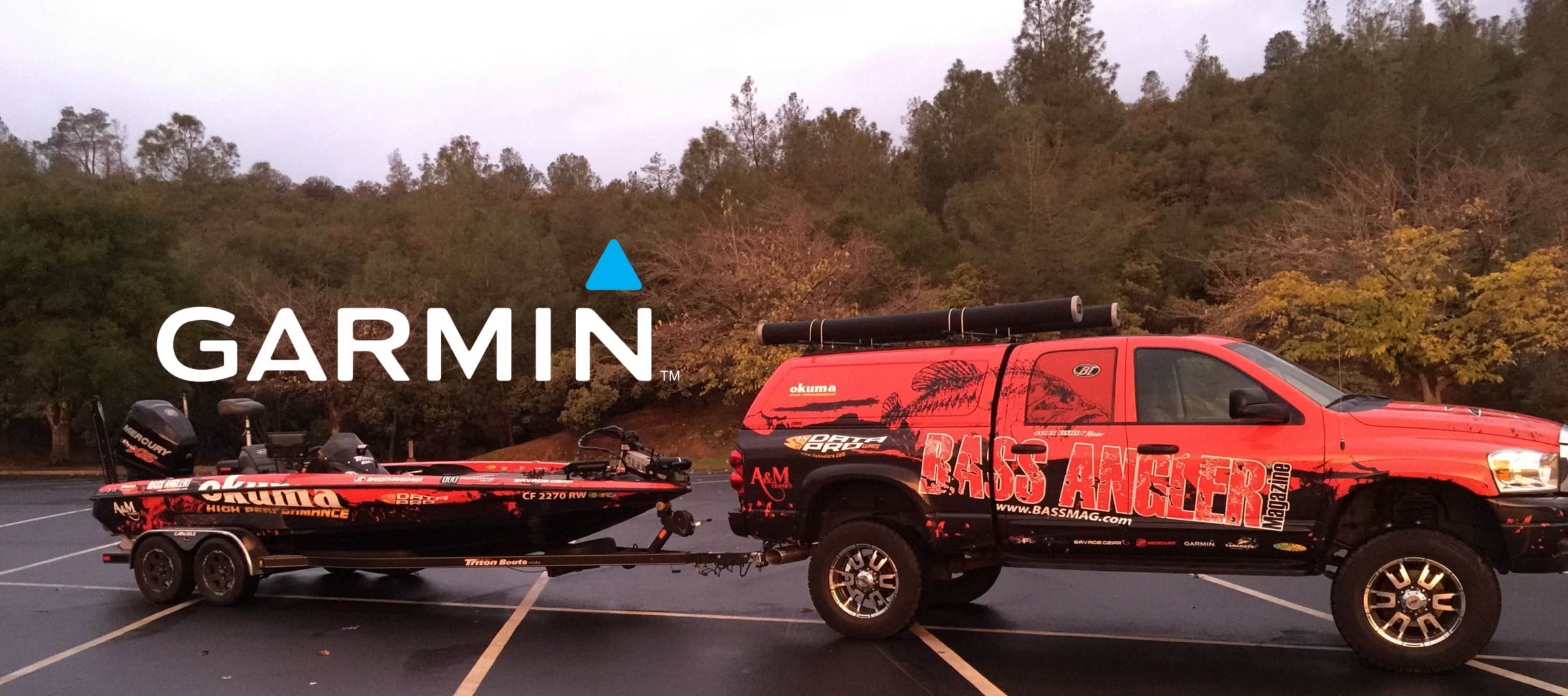
bass angler truck garmin back up camera
Installing a BackUp Camera

One look at my truck with 6″ lift and blacked-out windows. You can understand how we would need a backup camera. If at a tournament and have to unhook, it’s a real pain getting the trailer back on, requiring getting in and out of the truck making sure it’s lined up.

Now, with the help of Garmin, we have the problem solved.

We recently installed a Garmin dezlCam GPS unit paired with a Garmin BC30

Not only did we solve the trailer alignment problem, we can now see the launch ramp and things behind us that weren’t possible before. And… we now have a state-of-the-art GPS guidance system equipped with a dash cam for any unexpected things that might occur on our long trips.

Since I found this such a valuable asset, I wanted to share the easy install process.

First off, we plugged the Dezl into the computer went to garmin.com/express  downloaded the app where it found the device and updated it to the latest software. While the unit was updating, we installed the camera and transmitter. The process was simple.

First fine a suitable place for the camera, most times is right to the license plate. Once the camera is mounted, you’ll need to fish the wire through where is can plug into the transmitter – fortunately we had a hole where it fit nicely, but you might need to drill one yourself.

Next is the transmitter, you’ll want to find a spot to mount it where it can receive a good signal and won’t be hampered by debris flying around under the vehicle. You can hook up the camera transmitter in two different ways: one is powered on all the time, or the other is to hook it up so it comes on when the vehicle is placed in reverse. (1) On all the time just hook the red wire to a hot power source and the black wire to a good ground. (2) On in reverse hook up the power wire to the reverse light and the back wire to a good ground. Note – most trucks have live power near the trailer wiring.  The instructions said to power up and test the transmitter placement before securing it. On our truck, we mounted well it under the back and had no problem receiving a signal. We also heard that guys are mounting them on their outboards with no signal issues so i think you’ll be fine no matter where you mount it.

Once we finished mounting the camera and transmitter, we placed the Dezl on the windshield turned it on, and it instantly recognized the camera where we could see what’s going on behind the truck.

The Garmin Dezl and BC30 Camera components
Installing and updating the software was easy
Updating the GPS unit
We mounted the camera to the license plate
We used acetone to clean the transmitter mounting spot
We placed the transmitter up and out of the way
Viewing the back up camera, press apps then back up camera
The app screen
Once in the back up camera mode you can adjust the grid lines or remove them if you like.

Garmin has an impressive set of videos explaining the install process

author avatar
Mark Lassagne
Mark Lassagne is a professional bass angler, outdoor writer, and publisher based in Northern California. As the founder of Bass Angler Magazine and the BAM Tournament Trail, Mark has dedicated his career to growing and promoting the sport of bass fishing, especially on the West Coast. With decades of tournament experience across the country—from MLF Toyota Series events to his own BAM Pro Tour—Mark brings a unique blend of on-the-water knowledge and industry insight. The content of his writing focuses on helping anglers of all skill levels to catch more fish, understand cutting-edge techniques, and stay connected to the latest trends in bass fishing. When he’s not behind the wheel of his Ford F-350 hauling the BAM stage, you’ll find him chasing bass in California’s best fisheries in his Bass Cat.
See Full Bio
social network icon social network icon social network icon
Bass Fishing Tags:garmin back up camera, garmin navigation dezl, installing a back up camera

Post navigation

Previous Post: How to Fish a Float ‘N’ Fly for Bass
Next Post: The Amazing Chatterbait – Bladed Vibrating Jig

Related Posts

  • Angler West Television Bass Fishing
  • A Lake for all Seasons Bass Fishing
  • West Coast Bass Offers Custom Harley at Clear Lake Season Opener Bass Fishing
  • Media Appearances Bass Fishing
  • Pardee Media Day 2014 – Lucky or Good? Bass Fishing
  • Mark Lassagne A look below on the Aqua-Vu
    LIVESCOPE – AQUA VU – A LOOK BELOW THE SURFACE Bass Fishing

Leave a Reply

Your email address will not be published. Required fields are marked *

Affiliate Partner

Mark’s Sponsors

Vexus Boats logo

BASS BOAT TECHNOLOGIES LOGO

Mercury Marine logo

  • Fishing Sponsorship – Boosting Brands Through Angler Partnerships Bass Fishing
  • The Right Fishing Rod Bass Fishing
  • A Lake for all Seasons Bass Fishing
  • Delta Square Bill Bass Fishing
  • Fishing Rods – The Confusing Difference Bass Fishing
  • Fall Crankbait Fishing Bass Fishing
  • Bass Location Through Validation Bass Fishing
  • USA WINs! Bass Fishing

Copyright © 2023 Mark Lassagne. Site Design by Prime42

Powered by PressBook News Dark theme